Short answer: Google AI Mode is a chat-style search that splits a buyer’s question into many searches and answers with a short list of sources, so buyers shortlist dealers without a results page. To make that list, your car pages, buyer’s guides and Google Business Profile must answer each part of the question, and you track it in Search Console.
What AI Mode is
AI Mode is Google’s chat-style search. The buyer types a full question, gets a written answer with links, and can keep asking follow-ups in the same thread.
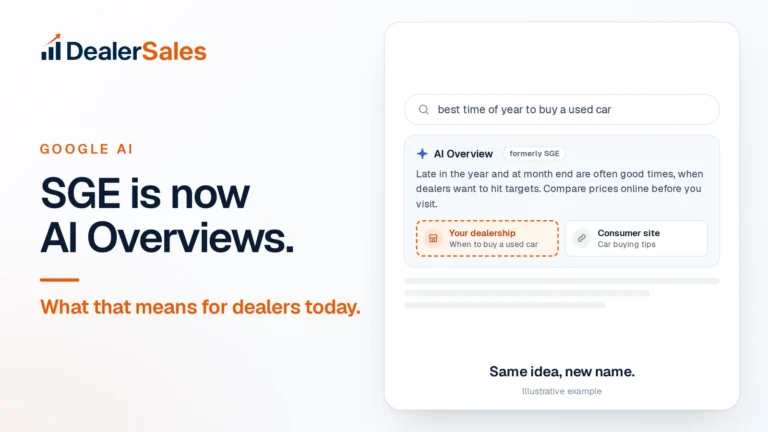
It is not the same as AI Overviews. An AI Overview is a short summary at the top of normal results. AI Mode replaces the results page with a conversation, and it is built for longer questions, comparisons and planning. (AI Overviews started life as SGE. Here is that story.)
How fast it arrived
| Date | What happened |
|---|---|
| March 5, 2025 | AI Mode opened as an opt-in experiment in Search Labs |
| May 20, 2025 | Rolled out to everyone in the US, no sign-up needed |
| August 21, 2025 | Expanded to over 180 more countries and territories in English |
| October 7, 2025 | Added 35+ languages, reaching over 200 countries and territories |
| 2026 | Search Console added a report that covers AI Mode |
In about seven months it went from a test to something most of your buyers can open, in the US and in Australia.
How AI Mode answers a car question
Google calls the method query fan-out. In its own words, AI Mode breaks your question into subtopics and issues many searches at once on your behalf, then pulls the results into one answer.
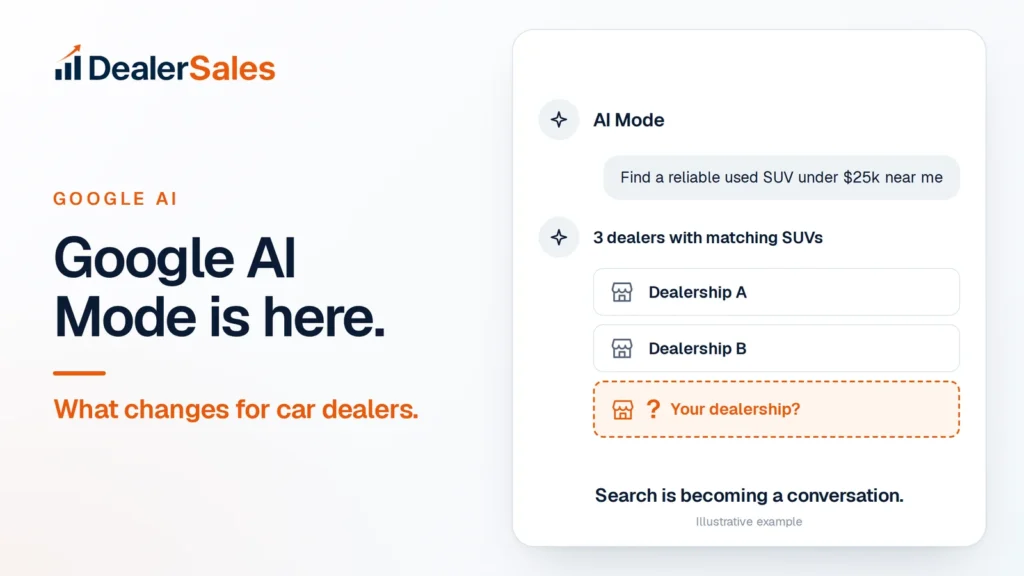
Take the question in the image: “Find a reliable used SUV under $25k near me.” Behind the scenes, that one line can turn into several smaller searches. For example:
- which used SUVs have a good reliability record
- typical prices for those models at a given age and mileage
- used car dealers near the buyer’s location
- which of those dealers list matching SUVs under $25,000
- dealer reviews and ratings
The answer the buyer sees is a short list: “3 dealers with matching SUVs.” Then they ask a follow-up: “Which one has a 2020 RAV4 with under 60,000 miles?” Then another: “Are they open Saturday?”
Each follow-up is another round of searches. Every round is a chance to be named, or dropped.
What changes for dealer traffic
Fewer shoppers see page one
In AI Mode there is no list of ten blue links to scroll. The buyer sees the answer and a handful of sources. If you are not in the answer, you are not seen.
The clicks you do get are further along
A buyer who clicks your link from AI Mode has already been told you have a matching car. That is a warmer visit than someone scrolling “used cars near me”. Your vehicle page must close the deal: price, mileage, photos, and a clear way to call or book.
Your Google Business Profile does more work
Google says AI answers can include information about local businesses, and a complete Google Business Profile helps you show up. Hours, address, reviews and categories feed questions like “Are they open Saturday?”
Research questions get answered without a click
“Is a 2019 RAV4 reliable?” may be answered in the thread. AI Mode links the pages it used to build that answer. That is why you want to be the source, not just a listing.
How to appear in AI Mode
Map each part of the fan-out to a page you own.
| Part of the question | What you need |
|---|---|
| “reliable used SUV” | Buyer’s guides for the SUVs you stock |
| “under $25k” | Vehicle pages with price as plain text, not in images |
| “near me” | Complete Google Business Profile, same name, address and phone everywhere |
| “which dealer” | Recent reviews and a clear About page |
| follow-ups | Hours, financing page, trade-in page, test-drive booking |
Then work through these steps.
- Confirm your pages are indexed. Google says AI Mode uses pages that are indexed and eligible to show a snippet. Check Pages in Search Console.
- Remove snippet blocks. A
nosnippetormax-snippet:0tag keeps a page out. See the full checklist. - Do not opt out by accident. Search Console has a Search generative AI setting. Sites that opt out do not appear in AI Overviews or AI Mode. Leave it on.
- Make every car page readable. Year, make, model, trim, mileage, price and location as text. A 2020 Toyota RAV4 XLE with 58,000 miles at $24,490 should say exactly that on the page.
- Write buyer’s guides for your top ten models. Answer “is it a good buy”, common things to check, a fair price range, and link to the ones in stock.
- Answer the follow-ups on your site. Financing, trade-ins, warranty, hours and delivery. If AI Mode cannot find the answer on your site, it finds it on someone else’s.
Proof: A brand-new Brisbane dealer website, launched in June 2026 with no history, earned 5,260 Google AI Overview impressions in its first 90 days. See the numbers.
How to measure AI Mode in Search Console
Google’s Generative AI performance report (Search) shows how often links to your site were shown in AI Overviews and AI Mode. Google finished rolling it out worldwide on August 31, 2026, though it says not every property has access yet.
What it gives you:
- Impressions, counted once per AI answer even if several of your pages are linked.
- Breakdowns by page, country, device and date.
- No clicks. The report counts impressions only. Clicks from AI features are included in your normal Performance report under the Web search type.
A simple monthly routine:
- Open the Generative AI report and set the range to the last 90 days.
- Sort by page. Note your top ten pages.
- Check what kind of pages they are. If buyer’s guides and financing pages lead, write more of those.
- Compare with the month before. Growing impressions on a page means Google trusts it for that topic.
Also run your own spot check. Open AI Mode, type the question in the image with your city, and write down which dealers are named.
Mistakes that keep dealers out
- Prices only in photos or a script. AI Mode cannot quote what it cannot read.
- Deleting a car page the day it sells. Keep the buyer’s guide live and update the in-stock list.
- A different phone number on every directory. It makes Google less sure which business is the real one.
- Buying “AI Mode schema”. Google says no special markup or schema is needed.
What to do next
Type your top three buyer questions into AI Mode today and note who gets named. Then fix the parts of the fan-out where you have no page, starting with price-visible car pages and one buyer’s guide. If you want the full picture across Google AI, ChatGPT and Perplexity, get your score below.
Quick answers
Is Google AI Mode available to everyone?
Yes, in most markets. It rolled out to everyone in the US in May 2025 and expanded to over 200 countries and territories by October 2025.
Does AI Mode send traffic to dealer websites?
Yes. Answers link to the pages they use, and those clicks appear in Search Console under the Web search type. The visits tend to be further along, because the buyer has already seen your car in the answer.
How do I get my dealership into Google AI Mode?
Make sure your pages are indexed and can show a snippet, publish car pages with price as text, write buyer’s guides for models you stock, and keep your Google Business Profile complete.
Sources
- AI Mode in Google Search: Updates from Google I/O 2025 (Google)
- AI Mode in Google Search expands to more than 40 new areas (Google)
- AI features and your website (Google Search Central)
- Generative AI performance report (Search) (Search Console Help)
- Search generative AI control (Search Console Help)
Get my AI visibility score
We ask ChatGPT, Perplexity, Gemini and Google AI 20 buyer questions about your market and score how often you are named. Free, no sales call.