Short answer: There is no official number, and Google does not publish one for local results or AI answers. What counts is a steady flow of recent reviews, a rating and review count that hold up against the dealers near you, replies to every review, and review text that mentions the cars and service buyers ask about.
The honest answer: no magic number
Anyone who tells you “you need 100 reviews” or “500 reviews” is guessing. Google does not publish a threshold, and neither do OpenAI, Perplexity or Microsoft.
Here is what Google does say: prominence is one of its local ranking factors, it is partly based on how many reviews you have, and more reviews and positive ratings can help your local ranking.
So the real question is not “how many?” It is “how do I compare to the stores a buyer could pick instead of me?”
What actually counts
| Factor | Why it matters | A good target |
|---|---|---|
| Recency | Buyers and AI summaries weigh what people say now | New reviews every week |
| Rating | Buyers filter by stars before they click | At or above your nearest competitors |
| Volume vs. local rivals | Prominence is judged against who else is nearby | In the top three stores in your area |
| Replies | Shows you are active and care | Reply to every review within a week |
| Review text | Tells Google and AI what you are good at | Mentions of cars, trade-ins, financing, service |
Recency beats total
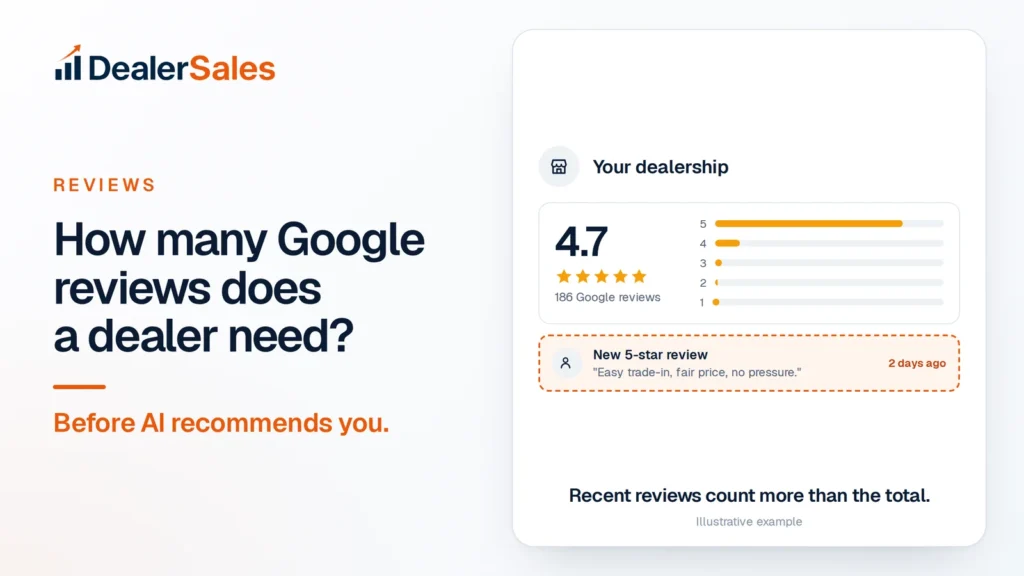
A store with 186 reviews and a new one from two days ago looks alive. A store with 600 reviews and nothing since spring looks like it might be closed or slipping.
Buyers agree. In BrightLocal’s 2026 survey of US consumers, 74% said they look for reviews written in roughly the last 90 days.
Rating and volume
The same survey found 31% of consumers will only use a business with 4.5 stars or more, and 47% will not use a business with fewer than 20 reviews. If you are under 20, that is your first finish line.
Review text
In the US, Google Maps now answers questions with AI through its Ask Maps feature, and Google says it draws on reviews from its community of contributors. A review that says “Easy trade-in on my 2017 Silverado, fair price, no pressure” gives those tools something specific to repeat. “Great place” gives them nothing.
Set your own number in 10 minutes
- Search “used car dealer [city]” on Google Maps.
- Write down the top five stores: review count, rating, and the date of their newest review.
- Look at your position.
An example of what that looks like:
| Dealer | Reviews | Rating | Newest review |
|---|---|---|---|
| Competitor A | 612 | 4.5 | 1 day ago |
| Competitor B | 340 | 4.8 | 4 days ago |
| Your Dealership | 186 | 4.7 | 2 days ago |
| Competitor C | 150 | 4.2 | 3 weeks ago |
| Competitor D | 95 | 4.6 | 2 months ago |
In this market, you do not need 612. You need a pace that keeps you ahead of C and D and closes on B. Say you sell 40 cars a month and one in four buyers leaves a review. That is 10 a month and 120 a year. Add service and trade-in customers, and you stay the freshest profile on the page while steadily closing the gap on Competitor B.
Rerun this table every 90 days. If a rival suddenly jumps ahead, raise your pace, not your panic.
The 2-text system: more reviews every week
Most buyers are happy to leave a review. They just forget. Two texts fix that.
Text 1: the same day, within two hours of delivery
Script: “Hi Maria, thanks for choosing Your Dealership today. Enjoy the RAV4. If you have 30 seconds, a quick Google review helps other buyers in [city] find us: [review link]. – Jake”
Text 2: three days later, only if they have not reviewed
Script: “Hi Maria, how is the RAV4 driving? If you get a minute, we would love to hear how the buying process went: [review link]. Thanks again. – Jake”
Rules that make it work:
- Send it from the salesperson’s name. People reply to people.
- Use your direct review link. Google Business Profile lets you create a review link or QR code. Put the QR code on the delivery desk too.
- Ask about the experience, not the stars. “How did it go?” is fine. “Please leave us 5 stars” is not.
- Stop at two. A third text feels like pressure.
- Ask everyone. Buyers, trade-in sellers, service customers. Not only the ones who smiled.
Put the same link on the delivery paperwork, the email receipt and every service invoice, so customers who ignore texts still see it.
Put one person in charge of checking that texts went out. A weekly count on the sales meeting board keeps it alive.
What Google does not allow
Google’s review policies are strict, and getting caught can cost you reviews or worse. Its Maps content policy prohibits:
- Incentives. No discounts, free oil changes, gift cards or raffle entries in exchange for a review, or for changing or removing a bad one.
- Review gating. You cannot discourage negative reviews or selectively ask only happy customers. No “Were you happy? Yes goes to Google, No goes to the manager” funnels.
- Conflict of interest. Current or former employees and people with business ties should not review your store.
- Fake reviews. Buying reviews or writing them yourself.
Ask every customer the same way, and let the chips fall.
Reply to every review, the right way
Google says replying shows customers you value their feedback. BrightLocal’s survey found 89% of consumers expect owners to respond.
Five-star reply: name the person and the car. “Thanks, Maria. Glad the RAV4 is working out and the trade-in on your old Civic was easy. See you at your first service.”
One-star reply: stay calm, own it, take it offline. “Sorry, Dan. That is not how we want anyone to feel after a sale. Please call me directly at (555) 010-2000 so I can make it right. – Mark, General Manager”
Do not paste the same line on every review. Generic replies read as a bot.
Mistakes that stall your reviews
- Asking a week later. The excitement is gone. Ask on delivery day.
- Only asking in person. Without a link in their hand, most people forget.
- Letting reviews pile up unanswered. Set a daily 5-minute check.
- Chasing a number, then stopping. A burst of 60 reviews followed by nothing for six months looks worse than 10 a month, every month.
What to do next
Pull your five-competitor table today and set up the two texts this week. Review replies fit into the 10-minute weekly Google Business Profile routine. To see whether your reviews are turning into AI mentions, the free Dealer Sales AI Visibility Audit checks how often AI tools name you.
Quick answers
How many Google reviews does a car dealership need?
There is no official minimum. Aim to match or beat the nearby dealers buyers compare you with, and get new reviews every week, because recent reviews carry more weight with buyers than an old total.
Can I offer a discount for a Google review?
No. Google’s policies prohibit offering incentives such as discounts, free goods or services in exchange for reviews, and it treats this as fake and misleading content.
Should I only ask happy customers for reviews?
No. Selectively soliciting positive reviews, often called review gating, is against Google’s policy. Ask every customer the same way.
Sources
- Tips to improve your local ranking on Google (Google Business Profile Help)
- Prohibited & restricted content (Maps User Generated Content Policy Help)
- Tips to get more reviews (Google Business Profile Help)
- Local Consumer Review Survey 2026 (BrightLocal)
- Ask Maps and Immersive Navigation (Google)
Get my AI visibility score
We ask ChatGPT, Perplexity, Gemini and Google AI 20 buyer questions about your market and score how often you are named. Free, no sales call.